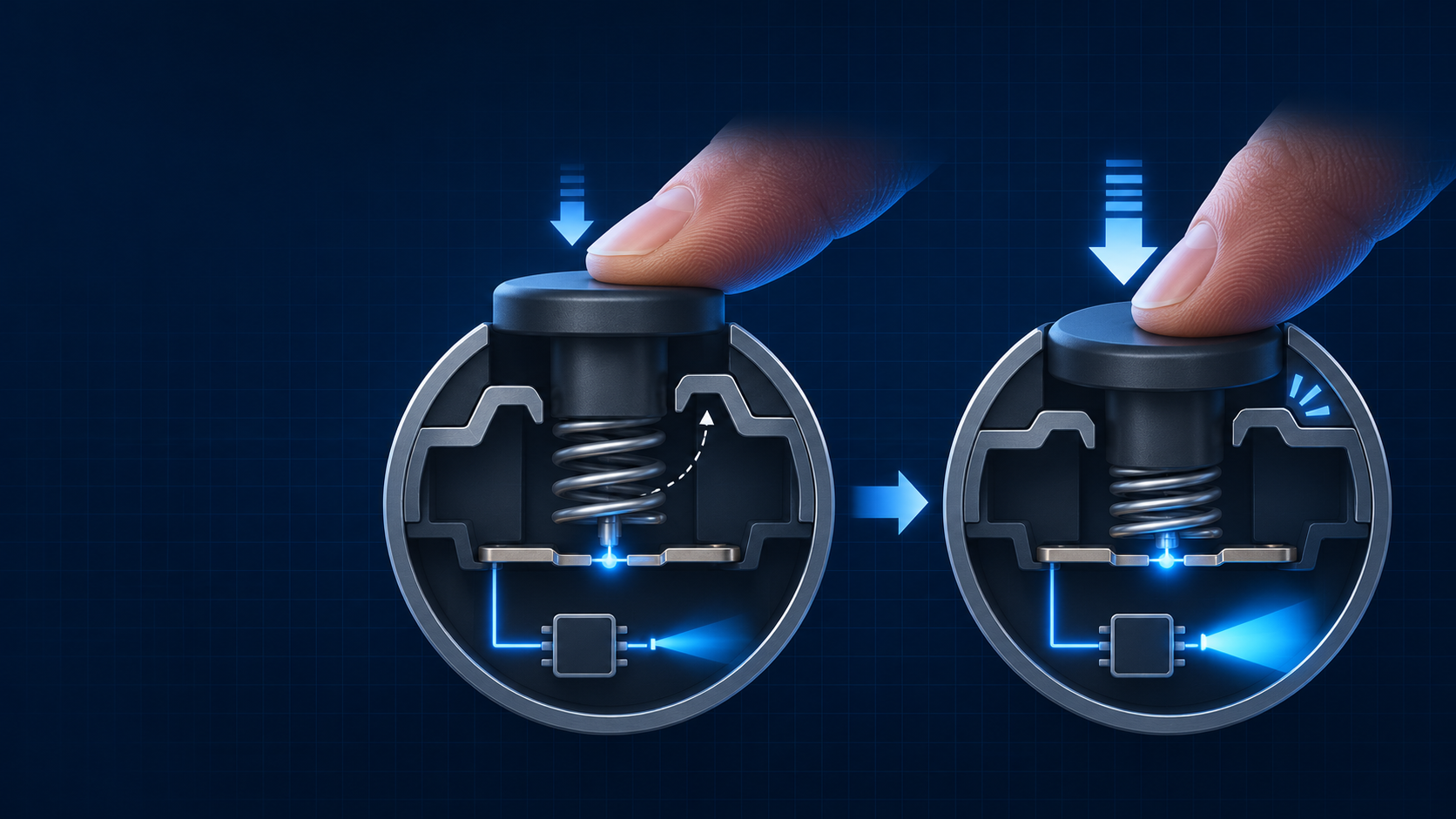
Imagine two similar flashlights with tail buttons. On one, a light press turns the beam on while the finger is still holding the button. On the other, the beam does not enter constant operation until the button has been pressed fully and released. This is a hypothetical comparison, not a SHENGQI LIGHTING product test or customer report.
Forward clicky switches typically provide momentary light before the switch latches, while reverse clicky switches typically enter constant-on after a full press and release. Both descriptions concern a mechanical switch action. They do not, by themselves, define every output level, mode change, memory behaviour or electronic control response of the complete flashlight.
Tail Switch Is a Location, Not a Complete Behaviour Description
A side switch and a tail switch describe where a user presses. A mechanical latching switch and an electronic pushbutton describe different contact and control arrangements. Forward clicky and reverse clicky describe the action sequence of the mechanical clicky arrangement discussed here. These terms belong to different layers, so they should not be treated as one flat list of mutually exclusive switch types.
For example, two flashlights can both have tail buttons while presenting different behaviour from OFF. One may close its contact before the mechanical latch is engaged. Another may not create the stable ON state until the press is completed and the button is released. The visible location is the same. The user action and resulting light behaviour are not.
In this article, a partial press means a press that has not completed the mechanical latching action. It does not mean exactly half of the travel distance. What matters is whether the finger remains on the button, whether the latch point has been crossed and what happens after release.
The Three Stages That Change the Result
1. Press and hold
The contact may change while the finger is pressing. With a typical forward clicky in the OFF state, this stage can provide momentary illumination before the switch latches.
2. Cross the latch point
A complete click engages or releases the maintained mechanical state. The action should be described by the completed click, not only by the sound or feel of the button.
3. Release
Release tells the user whether the action was momentary or maintained. A description that says only “press to turn on” leaves this essential part of the operation unclear.
With a typical forward clicky, the OFF-state contact closes during a partial press. If the user releases before latching, the contact opens again and the light stops. If the user presses through the latch point and then releases, the switch remains mechanically latched and the light can remain on.
With a typical reverse clicky, a partial press from OFF does not provide the same momentary-on action. The user completes the press, then releases the button into the latched ON state. Once already on, a partial press can create a temporary interruption of the contact while held. Whether the complete flashlight uses that interruption only as a brief off state or interprets it as a command for another output is a separate driver question.
Forward vs Reverse Clicky: Typical Action Comparison
This table describes typical mechanical clicky behaviour. A flashlight driver can add mode changes or other responses, so the final column identifies the items that still need confirmation from the applicable product documentation or sample.
| Initial State and Action | Typical Forward Clicky Behaviour | Typical Reverse Clicky Behaviour | Complete-Light Items Still to Confirm |
|---|---|---|---|
| OFF: partial press, without reaching the latch point | Typically closes the contact while held, allowing momentary illumination. | Typically remains off until the full click action is completed. | Which output appears during momentary use, if applicable. |
| OFF: release after the partial press | The contact opens again and the typical result is OFF. | The typical result remains OFF because no maintained click was completed. | Whether an electronic design introduces a separate standby indication or response. |
| OFF: complete a full click and release | The switch latches and the typical stable state after release is ON. | The switch latches after the completed press and the typical stable state after release is ON. | Initial output level, last-used level and any driver start-up logic. |
| ON: partial press and release, without unlatching | Typically interrupts the contact while held and returns to the latched ON state after release. | Typically creates a temporary interruption while held and returns to the ON state after release. | Whether the driver changes output after the interruption. Do not infer this from switch type alone. |
| ON: complete the action that releases the latch, then release | The maintained mechanical state is released and the typical result after release is OFF. | The maintained mechanical state is released and the typical result after release is OFF. | Any delayed shut-off, indicator behaviour or separately defined electronic response. |
Mechanical Contact and Driver Response Are Different Layers
The mechanical switch decides when its contacts make or break a circuit. The driver decides what the complete flashlight does when it receives, loses or regains electrical input. This is why a switch action and a mode action must be recorded separately.
For example, imagine two hypothetical flashlights that use the same reverse clicky arrangement. Both are continuously on. A partial press briefly interrupts the contact. One driver simply returns to the same output after release. Another driver is programmed to recognise the interruption and move to another output. The mechanical interruption is similar. The user-visible result is different because the control response is different.
The same boundary applies to forward clicky designs. Momentary-on capability does not mean that a forward clicky is a purely momentary component. A typical forward clicky can provide temporary light before latching and still provide a maintained ON state after the full click. It also does not mean that every forward clicky flashlight will start at the same output or follow the same output path.
Electronic pushbuttons add another distinction. Their contacts can be momentary while the driver keeps the flashlight on after the button is released. For broader discussion of mode order, memory, lockout and interface checks, see the existing flashlight controls and modes guide.
Choose the Operation by the Task, Not by the Button Name
Task: repeated brief observation
If the user wants to press, observe briefly and release, the essential question is whether the flashlight provides momentary-on from OFF before the latch point. A forward clicky may be relevant because of its typical action. The sample requirement should still state the expected output during the held press and the expected result after release.
Task: continuous illumination after activation
Both typical latching approaches can support sustained illumination after a completed click. A forward clicky should not be reduced to short, temporary use. A reverse clicky should not be presented as the correct answer for every work situation. The practical requirement is the expected OFF-to-ON path and the stable state after the finger is released.
Task: change output while the light is on
Do not assume that a reverse clicky must change mode on a partial press, or that a forward clicky cannot be paired with a multi-output driver. Define the required action path and check the product documentation or sample. The switch action can create an input event, but the driver defines whether that event changes the output.
Specification boundary
Current capability, operating force, travel, electrical life, mechanical life and environmental suitability depend on the actual switch component and complete-light design. Forward or reverse clicky terminology does not establish durability, waterproof performance, current capacity or any certification outcome.
Turn a Preference Into an Operation Requirement
A description such as “tail switch with momentary operation and multiple modes” is not yet complete enough to verify. It does not identify the initial state, the difference between a partial press and full click, what happens when the button is released or whether output changes are created by the switch action or the driver response.
Requirement-writing example only
From OFF, a press that does not pass the mechanical latch point shall provide the specified momentary output only while the switch is held.
If the switch is released before the latch point, the flashlight shall return to OFF.
After a full click and release from OFF, the flashlight shall remain continuously on at the agreed output state.
While continuously on, a partial press shall either retain the same output after release or follow the separately stated output-change path. The required result must be defined before sample approval.
This is a requirement-writing example, not an approved SHENGQI LIGHTING specification and not a statement that every existing platform provides this behaviour.
A Focused Sample Check for Clicky Action
This check covers only the operation behaviour discussed in this article. It is not a switch-life test, ingress test, reliability certification or complete user-interface validation.
- Read the operating instructions for the exact sample or model before testing its action.
- Record whether each observation starts from OFF or from an already maintained ON state.
- Perform a partial press without reaching the latch point, then record the result while held and again after release.
- Perform a full click and release, then record the maintained state.
- Record contact-related on or off changes separately from any observed output-level change.
- Compare the observation with the agreed operation requirement and the applicable product documentation.
Suggested observation record
Sample model or version / Initial state / Action / Result while held / Result after release / Output change observed / Matches agreed requirement
Frequently Asked Questions
Why do some flashlights turn on only after the button is released?
That is typical of a reverse clicky operation. The user completes the press, then releases the button into the maintained ON state. The exact complete-light behaviour should still be confirmed from the relevant instructions or sample.
Can a forward clicky provide both momentary and constant-on use?
Yes. In its typical arrangement, a forward clicky can provide momentary illumination before the latch point and constant-on after the full click is completed and released. The momentary output and any driver behaviour still require model-specific confirmation.
Does a reverse clicky always change output on a partial press?
No. A partial press can create a temporary contact interruption, but only the complete flashlight’s driver logic determines whether that interruption changes output. The action path must be checked for the relevant model.
Does a click sound prove that a switch is mechanical and latching?
No. Sound and tactile feedback can suggest an action, but they do not replace a check of the actual press, release and maintained-state behaviour or the applicable technical documentation.
Can switch type alone show which flashlight will be more durable?
No. Durability depends on the actual component, contacts, electrical load, mechanical design, sealing and intended operating environment. Check the relevant component and complete-product evidence rather than relying on forward or reverse terminology alone.
Discuss the Operation You Need Before Defining a Platform
For a product-development discussion, a clear action requirement helps coordinate the visible button design, mechanical switch structure and electronic control response. SHENGQI LIGHTING’s website describes relevant industrial design, electronic design and PCB-related development capabilities through its services information. That does not mean every existing flashlight platform provides every clicky action or operating path.
Browse the current flashlight range, then bring the target task, required action from OFF, required action while continuously on, and a reference sample video or operating manual to the conversation.
Discuss Your Flashlight Switch RequirementsYou may also email sales@shengqilight.com.